
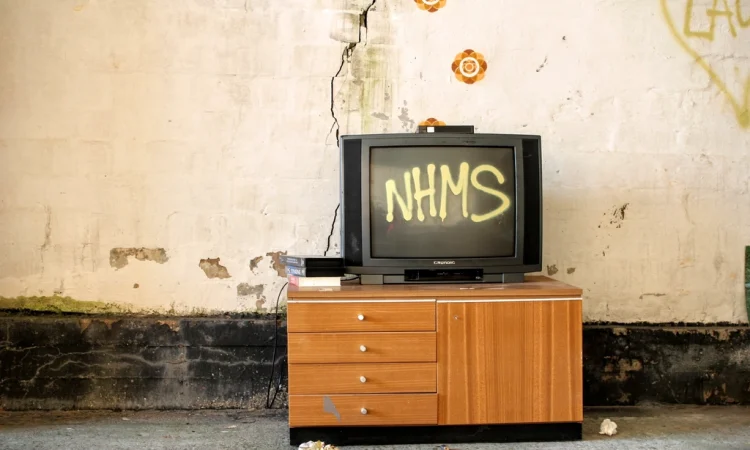
Old consoles were built for tube TVs. Here’s how a CRT and a modern flat panel compare for retro play, and which one fits your space, budget and reflexes.
Short version
- Classic consoles output low-resolution analog signals like 240p and 480i that CRTs display directly, but modern TVs must scale and process those signals, often with poor results.
- A CRT added roughly 8 milliseconds of lag at 60Hz, while a modern 4K TV can add 50 to 150 milliseconds without Game Mode and 10 to 25 milliseconds with it.
- Direct analog-to-digital converters add less than 1 millisecond, but budget converters with built-in upscaling chips frequently add 30 to 80 milliseconds.
- A well-configured modern setup totals around 12 to 22 milliseconds of lag, comparable to or better than the original CRT experience.
- CRTs suit players chasing the original picture and response, modern TVs suit casual players with limited space, and emulation with shaders is a middle path.
Dust off a Super Nintendo, hook it to a 4K TV, and you may wonder why the game that looked sharp in your memory now looks like a smudged photocopy. The console didn’t get worse. It was designed for a cathode-ray-tube television, and those old tube sets handled low-resolution analog signals in ways flat panels simply don’t. Here’s how the two display types compare, and how to decide which one deserves your console.
Why Old Consoles and New TVs Don’t Always Get Along
Consoles like the NES, Super Nintendo, Nintendo 64, Sega Genesis, PlayStation and PlayStation 2 output low-resolution analog video: RF, composite, S-Video or component, at resolutions such as 240p, 480i or 480p. CRTs displayed those signals directly. No scaling, no guessing.
A modern TV is a fixed-pixel digital display. Everything you feed it has to be converted to fit its grid, and that’s where trouble starts. A TV may misread a 240p signal as 480i and try to deinterlace it. A fuzzy composite signal gets processed, sharpened and stretched, and the result can look blurry, jagged, washed out or unstable.
There’s a deeper quirk, too. US NTSC sets were built around 525 scan lines, with about 480 visible, drawn as alternating interlaced fields. The NES and Super Nintendo instead sent 240p progressive video with a blank line every other scan line, meant to be softened by the analog nature of a CRT. Some games even used dithering to fake smooth gradients, which looks rough on a pixel-sharp digital screen. The display changed, not the game.
Side by Side: Picture Quality on a CRT vs. a Modern TV
| Aspect | CRT | Modern flat panel |
|---|---|---|
| Old signals | Displayed as-is, no conversion | Scaled and processed, with mixed results |
| Pixel look | Soft and blended, which flatters pixel art | Sharp and honest, which exposes every flaw |
| Dithering effects | Blend into smooth shading | Show as obvious checkerboard patterns |
| Connections | RF, composite, S-Video and component were common | Mostly HDMI; analog ports are rare on newer sets |
| Room impact | Deep, heavy box that eats floor space | Slim, wall-mountable, likely already in your room |
Neither picture is simply better. A CRT flatters the art the way its developers intended. A modern TV shows you exactly what the console is outputting, which can be crisp detail or a mess, depending on the cable and the set.
Input Lag: What Players Actually Notice
Input lag is the time between a button press and the result appearing on screen. CRTs drew images line by line as the signal arrived, adding essentially no processing delay, roughly 8 milliseconds at the midpoint of the screen at 60Hz. That’s the baseline the games were designed and tested against.
Modern TVs process whole frames digitally, and that pipeline takes time. Without Game Mode, a 4K TV can add 50 to 150 milliseconds of lag. With Game Mode on, which skips most of that processing, the same set typically drops to 10 to 25 milliseconds. Exact figures vary by model, but the pattern holds.
The converter matters as well. A direct converter that turns analog into digital without upscaling adds under 1 millisecond. Budget converters with built-in upscaling chips frequently add 30 to 80 milliseconds. Put the good pieces together, a direct converter plus Game Mode on a decent TV, and total lag lands around 12 to 22 milliseconds, comparable to or better than the original CRT experience. For twitchy platformers and pixel-perfect timing, that difference is real. For turn-based RPGs, you probably won’t notice.
Adapters, Upscalers and What It Costs to Bridge the Gap
Before buying anything, check the back of your TV. Some flat panels, especially older ones, still carry composite or component inputs, and a plain cable might be all you need. Most newer sets offer HDMI only.
From there, the options fall into rough tiers. A basic AV-to-HDMI adapter is the cheapest route and fine for casual play, though picture quality and lag vary widely between models. A direct converter with no upscaling adds almost no delay and gives a clean image. High-end upscalers that output HD or 4K deliver the prettiest pixels but cost real money. Some hobbyists modify consoles internally to output better signals, which adds both expense and risk.
Online gatekeepers will insist that anything less than top-shelf gear is a waste. It isn’t. What matters is that the setup works for the games you play and the money you want to spend.
Player tip
Turn on Game Mode before you play on a modern TV. It skips most of the image processing pipeline, which is where most of the added delay lives.
Space, Weight and Practicality Compared
A CRT is not just a display. It’s furniture. Tube sets are deep, heavy and need clearance, and finding a good one takes luck. Many secondhand units lack stereo sound or component inputs, and a cheap or neglected set can show a blurry image with edges cut off. A modern TV you already own costs nothing extra and sits in the room where you actually play.
Which Setup Makes Sense for You
A CRT suits players who want games to look and feel as originally designed, care about fast response in precision-heavy titles, and have the space and patience to source a decent set. A modern TV suits players who play casually, don’t want another large object in the house, or already own a display with usable inputs. Emulation on a PC with CRT-style shaders is a third path that mimics some of the old look on a new screen; our emulation and the law guide covers what’s legal in the U.S.
Whichever display you pick, the screen is only one cost. Our guide to the real cost of playing retro games on original hardware covers the rest. And one thing no display fixes: cartridge saves can die with an internal battery, so it pays to learn how to back up game progress on every platform before a decades-old cart takes your save file with it.
Quick questions
Do I need an expensive upscaler to play retro games on a modern TV?
No. If your TV still has composite or component inputs, a plain cable can work. A direct converter without upscaling keeps lag low, and a basic AV-to-HDMI adapter is fine for casual play.
What is Game Mode and why does it matter?
Game Mode disables most of a TV’s image processing, which is where most added delay comes from. Without it, a 4K TV can add 50 to 150 milliseconds of lag; with it, typically 10 to 25 milliseconds.
Why does my old game look worse on my new TV than it did back then?
The console didn’t change. Old consoles were designed for CRTs, which softened low-resolution analog signals. A modern TV’s fixed pixel grid and processing can make 240p look blurry, jagged or stretched.
Is a CRT worth hunting down today?
If you want the original look and fast response and have space for a heavy, deep set, it can be worth it. Expect hit-or-miss secondhand quality, since many old sets lack stereo sound or component inputs.
Store policies, subscription terms and platform features change often. This guide is general information for players in the U.S., not legal advice; check the current terms on the store’s or platform’s own help pages before relying on them.